How to Create an Avatar in Avatar World? Step-by-Step Guide for a Unique Look!
If you want to know how to create an avatar in Avatar World that actually feels like a character rather than a default placeholder, this guide is for you. The game’s avatar creator is more detailed than most players realize, and the choices you make during character creation shape every roleplay scene you run.
This step-by-step guide walks you through the full Avatar World avatar creation process from the first screen to a finished character, including tips for building a genuinely distinct look that holds up across every location and every outfit change.
Avatar World is developed by Pazu Games, a studio known for layering real creative depth into a system that looks simple on the surface. That description applies perfectly to the avatar creator.
Where to Access the Avatar Creator
You access the avatar creator in two situations.
When you first install the game: Avatar World sends you straight into the creator before you see anything else. Your first character is created before you enter the city.
From the main screen at any time: Tap your avatar’s portrait icon in the top corner of the main screen. This opens the full customization menu, where you can edit your existing avatar or create a new one in a different slot.
You get three avatar slots for free. Each slot holds a completely independent character with its own look, wardrobe, and expressions. A Pazu Plus subscription adds more slots if you need them.
Step 1: Choose Your Gender and Body Type
The first choice in Avatar World character creation is gender. The game currently offers two character types: a feminine avatar and a masculine avatar.
- The silhouette and proportions of your character
- Which clothing categories are emphasized in your wardrobe
- The default face shape you start with (you customize this in the next step)
- The hairstyle catalog your character accesses (some styles are gender-specific)
Tip from experience: Do not think of gender selection as locking you into a specific aesthetic. The customization options after this point are broad enough that you can create very different-looking characters within the same gender type. Your creative choices in the face, hair, and outfit steps matter more than this first selection.
Step 2: Customize Your Skin Tone
After selecting your character type, you choose your avatar’s skin tone from a range that covers the full spectrum from very light to very deep tones.
The skin tone range in Avatar World is one of the more inclusive options in this type of game. The color wheel gives you dozens of distinct options rather than a handful of preset swatches.
- Choose a tone that feels like a genuine character identity, not just a default
- Consider how the tone will interact with the clothing colors you plan to use most often. Very light tones read clearly next to bold colors. Deeper tones look especially strong with rich jewel tones and earth tones
- Remember that skin tone can always be changed later if you change your mind
Step 3: Design Your Avatar’s Face
This is the most detailed step in the how to create avatar in Avatar World process and the one most players rush through. Spend the most time here.
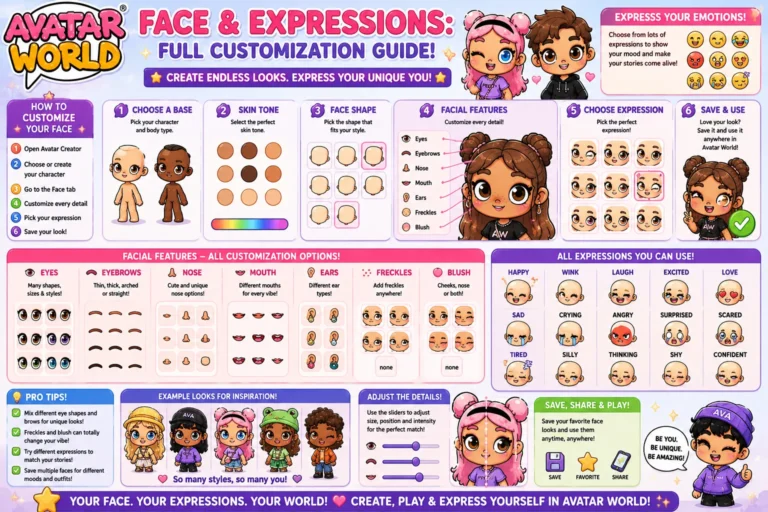
The face customization section has individual controls for:
Eyes: Shape, size, and position. The eye shape is the single most defining feature of your avatar’s face. Larger eyes create a more expressive, cartoonish look. Smaller or more angular eyes create a cooler, more composed character type.
Eyebrows: Shape, thickness, and arch. Thin, high-arched brows create an expressive or dramatic face. Thick, straight brows create a more grounded, serious character.
Nose: Shape and size. The nose changes are subtle, but they shift the overall balance of the face. A smaller nose places more emphasis on the eyes and mouth. A broader nose creates a more defined, distinctive face.
Mouth: Shape and size. The mouth shape influences what kind of default expression your character carries, even before you apply a specific expression. An upturned mouth shape reads as naturally friendly. A straight or downturned shape reads as more neutral or serious.
Face shape: Some versions of the avatar creator let you adjust the overall face shape between rounder and more angular options.
For a much deeper breakdown of face customization options and expressions specifically, see our Avatar World face and expressions guide.
Tip: Build the face with a specific character type in mind. A school principal should have a more composed face. A creative artist character works better with something more expressive. The face should tell a story about who this person is before any outfit goes on.
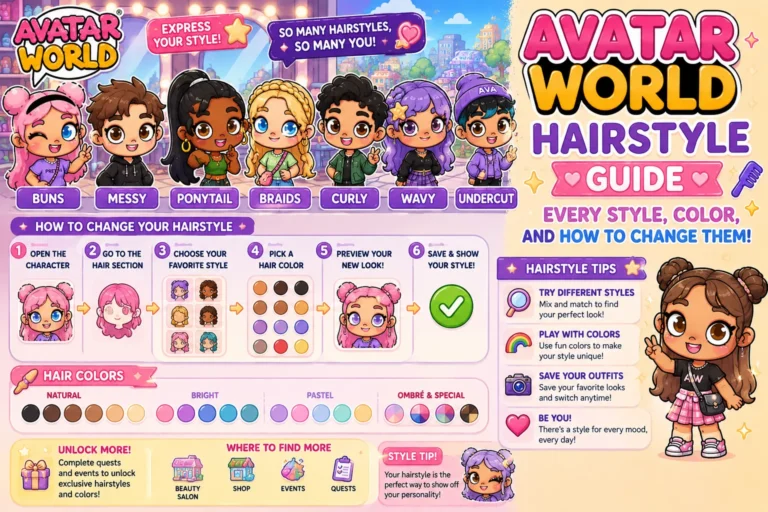
Step 4: Choose Your Hairstyle and Color
Hair selection comes directly after face creation. This is where you make the two choices that have the biggest visual impact on your finished avatar: the hairstyle and the hair color.
Hairstyle: The game organizes styles by length and type: short, medium, long, updo, and braided. Choose a style that matches the character identity you are building. A doctor character works best in pulled-back styles. A student character fits half-up or casual styles. A fantasy character suits long flowing hair or crown braids.
Hair color: Applied separately from the style using a color wheel. Natural colors are free. Fantasy and multi-tone colors are mostly premium items requiring AW coins.
For the complete breakdown of every hairstyle category and which works best for each roleplay theme, see our Avatar World hairstyle guide.
Step 5: Set Your Avatar’s Expressions
Expressions are one of the most underused creative tools in Avatar World. Your avatar has several emotion states you can set: happy, sad, angry, surprised, neutral, and others, depending on your game version.
The expression you set becomes your character’s default face state in the game world. A character set to happy reads as warm and approachable. A character set to neutral reads as composed and observational. A character set to surprise looks like they are constantly reacting to the world around them.
- Match the expression to your character’s personality, not just to what looks nice
- Change expressions before specific roleplay scenes. Switching to sad before entering a difficult hospital scene or to surprised before a mystery scenario adds visual storytelling that most players never use
- Some expressions work better in screenshots and photo studio shots than others. Neutral and happy read the most clearly at a distance. Angry and surprised are better for close-up character moments
Step 6: Build Your Starting Outfit
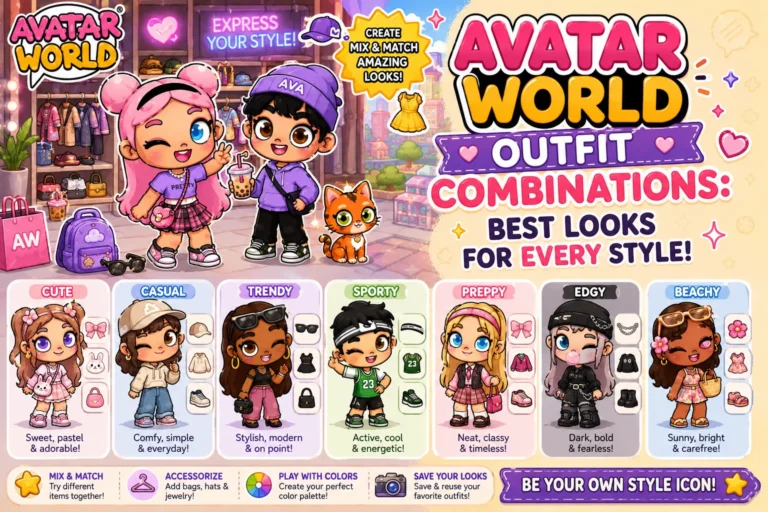
After face and hair creation, you dress your avatar for the first time. The wardrobe opens with your full current catalog, including all free items and any premium items you have unlocked.
For a brand new avatar, build the starting outfit around the character identity you established in the face and hair steps. Do not just pick whatever looks the most interesting in isolation.
- What is this character’s job or role in the game?
- What location will this character spend the most time in?
- What is this character’s personality: casual or formal, creative or structured, playful or serious?
The answers to those questions point you directly toward the right outfit category. A school character needs structured, neat clothing. A beach character needs relaxed, colorful, warm-weather pieces. A creative character can handle bolder color combinations and less conventional styling.
Step 7: Name Your Avatar and Finalize
The final step is naming your avatar. The name appears in your profile and in certain in-game interactions.
- Names that match your character’s identity make roleplay feel more immersive
- For professional characters, simple first-name-style names work well
- For fantasy characters, names with more syllables and unusual spellings create a stronger character identity
- For everyday roleplay characters, familiar-sounding names are most believable in school and family scenarios
Once you name your avatar and confirm, your character is saved to that slot, and you enter the game world.
How to Create a Truly Unique Avatar?
Most players in Avatar World follow similar patterns: medium-length hair, a standard facial expression, and a casual outfit. Here is how to create an avatar that stands out.
Commit to a specific character concept before you start. The players with the most distinctive avatars did not make random choices. They had a character in mind before they opened the creator: this is a fashionable teenager who loves school, this is a quiet and studious doctor, this is an adventurous kid who is always outdoors. Every choice the creator makes builds that concept.
Use the face asymmetrically. Most players center everything and choose the most average-looking options in each category. Slightly adjusting the eye size, brow thickness, or mouth shape toward something less typical creates a face that reads as a specific person rather than a generic avatar.
Choose a non-default hair color. Even if you are not using fantasy colors, going one step away from the most obvious choice (jet black, standard blonde) creates more visual distinctiveness. A warm auburn, a cool ash brown, or a deep plum are all within the natural color range but create a more specific character identity.
Match every element to a single concept. When the face, hair, expression, and outfit all point to the same character idea, the avatar feels like a real character. When they are each chosen independently, the result reads as a combination rather than a person.
Managing Multiple Avatar Slots
You get three free avatar slots in Avatar World. The most effective approach to using all three is to create characters with genuinely different identities rather than variations on the same look.
Slot 1: Your primary character. The one you play most consistently.
Slot 2: A contrasting character type. Different age range, different personality, different wardrobe category.
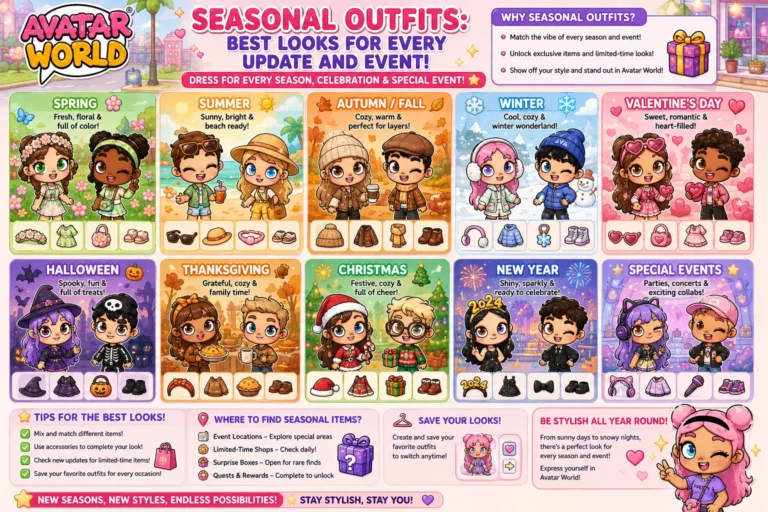
Slot 3: A scene-specific character. Update this one regularly to match your current favourite roleplay scenario or seasonal event.
For story ideas that benefit from having multiple distinct characters, see our Avatar World roleplay ideas guide.
Accessing All Customization Options
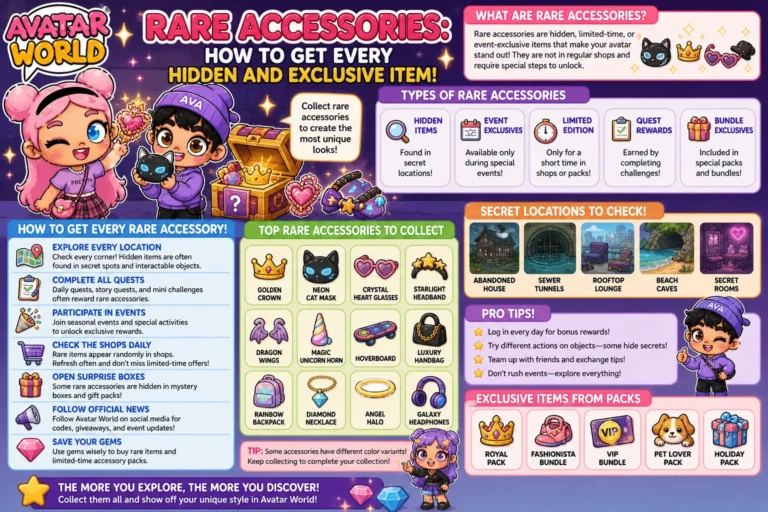
Some of the best face features, hairstyles, and outfit items in the avatar creator are locked behind AW coins or Pazu Plus. If you want the full creator experience with every option available from the start, the Avatar World MOD APK unlocks all premium customization items immediately. You get access to every skin tone option, face feature, hairstyle, color, and wardrobe piece without any purchase required.
Final Thoughts
Knowing how to create an avatar in Avatar World that actually feels like a character comes down to one thing: intention. Make every choice in the creator with a specific character concept in mind, and the result will be an avatar that serves every roleplay scenario you put them in. The creator has more depth than it shows at first glance. Use it.